
Share a Media Request by QR code.
Put a question on a booth sign, business card or welcome packet. Customers, employees and partners scan the code to record an answer or upload footage. Your team reviews the contributions together in MarketScale Studio.

Inside MarketScale Studio
How QR codes work in Requests
Set the brief in Studio.
Create a Media Request with a title, a question and the kind of response you need. For a product launch, ask the engineer to demonstrate the change a customer will notice first.
Record a question on cameraPut the QR code where people can answer.
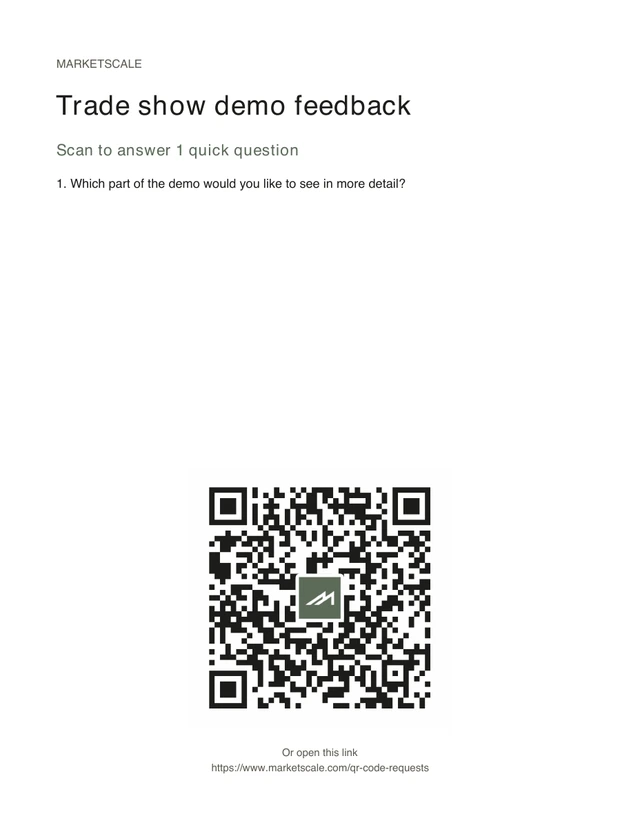
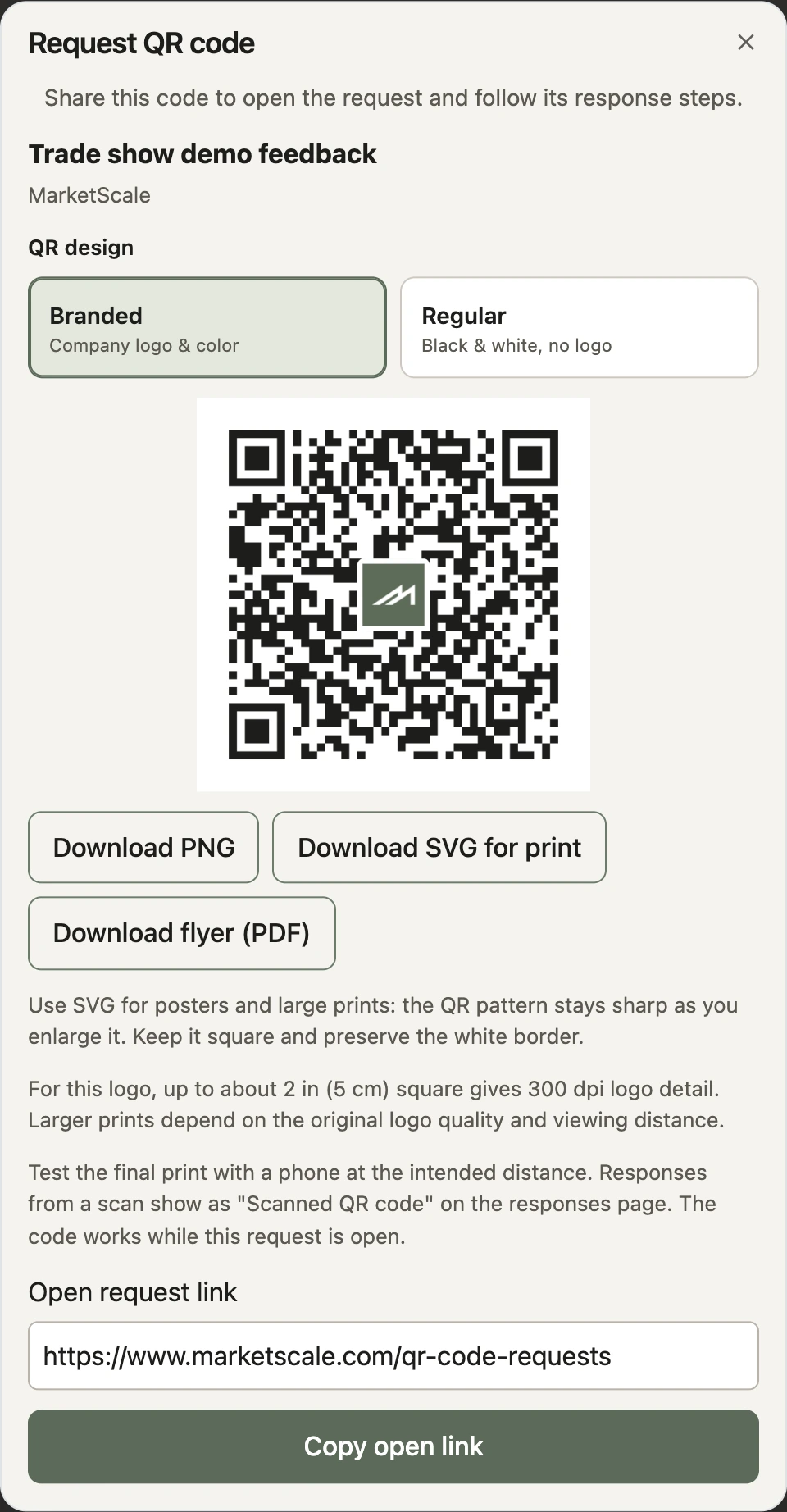
Choose QR code when you set up the request, or open QR code from an eligible request card. Download the artwork for a booth sign, welcome packet or slide. A phone camera opens the request.
Choose a format and test the printReview the responses and brief the edit.
Contributors follow the prompts and submit from their phones. Find their responses together in Requests. Pick the footage, tell your editor who needs it and review the finished piece before you share it.
See how to request an edit
Field guide
Sample questions for your next request
Choose a setting for a sample question, a place to put the code and a practical use for the response.
Decentralized content production
Turn a field demonstration into a sales clip.
A field engineer can show the adjustment that solved a problem. A customer can explain why it mattered. Marketing sets the brief, selects the contributions and works with an editor to turn them into an approved sales clip, product walkthrough or training video.
Explore capture in StudioStudio Help Center
Set up your next Media Request
Share and print a QR code
Choose a design, download your artwork and test the finished sign.
Ask a question on camera
Record the question contributors will see before they answer.
Invite contributors by CSV
Send the request directly when you already have a guest or employee list.
Thank contributors with a gift card. Add an optional reward to an eligible request and set the budget before you share it.
See how Rewards workMedia Request QR code FAQs
See Media Requests in a Studio demoHow does a QR code work with a Studio Media Request?
The code opens a specific request link. A contributor scans it with a phone camera, opens the page and follows the questions and response options the organizer set in Studio. The organizer can review submitted responses together in Requests.
Do contributors need a Studio account?
Guests can respond to an open request without creating a Studio account. They follow the prompts and provide their email when submitting. A request with a reward may ask for additional eligibility information.
Which file should I use for a business card, flyer or poster?
Download SVG for print when you are adding the code to your own layout. Use PNG for a slide or screen. Choose Download flyer (PDF) for a ready-to-print sheet with the request and its QR code. Keep the code square with its clear border and test a proof at the final size and scanning distance.
Can I keep using a printed code after my event?
The printed code continues to point to the same request. Check the request’s status and close date before reusing the artwork. Create a new request and download its code when you need a separate set of questions or responses.
Can I offer a gift card for a response?
Eligible organizers can add an optional gift-card reward to a Media Request. Contributors must meet the stated completion and eligibility requirements, subject to availability. Scanning opens the request. Your team decides how submitted media may be used.